Customer Chats Left Unanswered Without Your Knowledge — and This Is Why Businesses Lose Customers Silently
A customer chat has gone unanswered for an hour and you don't know it. This is why businesses lose customers unknowingly. Learn how an automatic escalation system can prevent it.

cshub
10 Jun 2026 7 min read
You Only Find Out Something's Wrong from Google Reviews
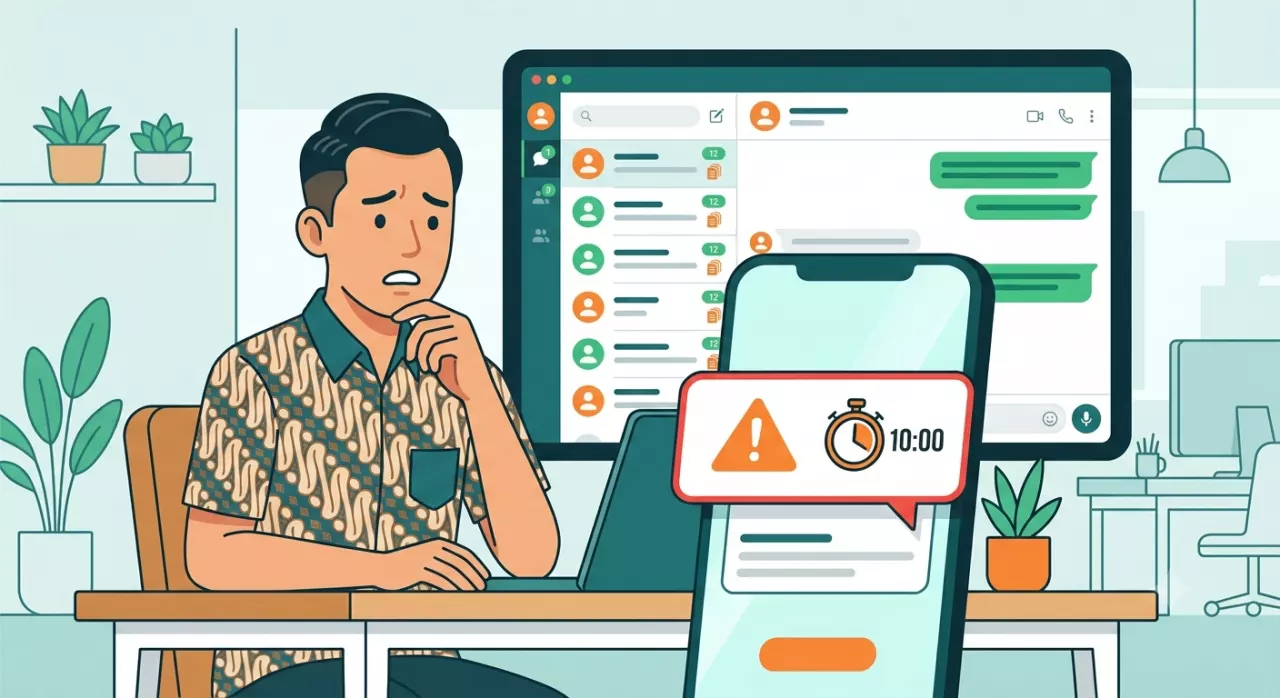
Open your business's Google Maps. If there's a 1 or 2-star review, it's almost certain one of them says:
"My chat wasn't answered." "Slow response from admin, took 2 hours to reply." "Wanted to ask questions but no one responded, ended up buying elsewhere."
The most painful part of that review isn't the 1-star rating. It's the fact that you only find out about the incident after the customer has left — and has already written a public review read by hundreds of other potential buyers.
Imagine how many customers leave without writing a review at all. They simply close the chat quietly and never return.
Why Chats Can Go Unanswered Without Anyone Knowing
Your admin is not a robot. There are days when chats flood in unexpectedly — after an IG post, when an ad goes live, during Ramadan and major holidays. Amidst 30 chats coming in within an hour, one chat from a serious potential buyer can get lost among the others.
This isn't about negligence. It's about system limitations.
The problem isn't just overwhelmed admins. The deeper issue is you as the owner lack visibility. You don't know which chats are unanswered, how long they've been waiting, and whether someone has already left.
If there's no system to inform you, you can only find out from two sources: an admin admitting it themselves, or a customer writing a bad review. Neither is a reliable mechanism.
Calculate the Loss
Imagine a concrete scenario:
Your business receives an average of 40 chats per day. Of those, 5 chats per day are from serious potential buyers with strong purchase intent — they just need to be answered, convinced, and directed to checkout.
If due to a messy system, 2 out of those 5 serious chats aren't answered in time and leave — that's 2 deals lost per day. If the average transaction value is Rp 200,000, that's Rp 400,000 per day. Per month: Rp 12 million lost silently.
And this doesn't even account for the long-term impact: those customers who leave won't come back. They try another store, find it suitable, and become loyal there.
What is an Escalation System, and How Does It Work
Escalation isn't a complicated feature. The concept is simple: if a chat goes unanswered beyond a certain time, the system automatically sends a notification to the right person.
Here's how it works step by step:
Step 1: Customer Sends a Message, Timer Starts
As soon as the message comes in, the system starts counting down. It's not counted from when the admin opens the chat — but from when the message is received. There's no room for "pretending it's been read."
Step 2: AI Accompanies the Customer While Waiting
While the timer runs, the AI agent remains active. If the customer asks something that can be answered — product info, price, stock — the AI answers immediately. The customer doesn't wait in silence. And if the AI answers well, the timer can be reset because the conversation is ongoing.
Step 3: Time Limit Exceeded — Notification Sent
Suppose you set 5 minutes. After 5 minutes, if the chat hasn't been touched by a human — the system immediately sends a notification to the assigned agent. The notification message can be customized: customer's name, how long they've been waiting, and a direct link to the chat.
Step 4: Tiered Escalation if Still Ignored
If the first agent doesn't respond within the additional time, the escalation notification goes to the next agent, or directly to the owner. This system ensures there's a human who eventually takes responsibility — not just an alarm that can be ignored.
Why This Is Important Even for Businesses with Small CS Teams
You Can't Monitor All Chats 24/7
You're the owner, not CS. But you're also the one who loses the most if customers leave. The escalation system becomes your "eyes" that are always active — even when you're in a meeting, out of the house, or asleep.
Prevent Losing High-Value Deals
Chats from potential buyers wanting to purchase in large quantities, or long-time customers wanting to reorder — if answered late, they leave without a trace. Escalation ensures priority chats like these don't fall through the cracks.
Building a Professional Team Standard
When the team knows there's a system monitoring response time, they naturally become more responsive. This isn't surveillance — it's a clear work standard. And a clear standard is the foundation of a well-growing team.
Performance Data You Can Evaluate
From the escalation system, you can see: what time most escalations occur, which channel is often slow, and which agent frequently gets notifications. This is real insight for operational improvement — not just a feeling.
Configure Escalation in CSHub: Flexible to Your Business
In CSHub, the Escalation feature can be configured down to the smallest detail:
Customizable Timer per Situation 5 minutes for busy hours morning-evening. 15 minutes for the afternoon. 30 minutes for outside working hours. You set the standards.
Tiered Notification Targets You can set the order: first agent → backup agent → owner. Or directly to all at once if you want. The choice is in your hands.
Informative Notification Templates Notifications aren't just "there's a chat." But: "1 chat unanswered — waiting 7 minutes — [direct link to chat]." One click, straight to the conversation.
AI Keeps Watch While Waiting As long as a human hasn't taken over, AI remains active and can answer basic questions. Customers are still served, not left alone.
No More "Sorry for the Late Reply, It Was Overlooked"
Every missed chat is a customer who almost became a buyer but eventually left. And they won't apologize for leaving — they just quietly disappear and don't return.
A well-configured escalation system can save dozens of chats per month from being neglected. And every saved chat is a deal that stays with your business.
Set up escalation today in CSHub — free for 7 days, no credit card required.
Frequently Asked Questions
What is the ideal escalation timer duration? It depends on the type of business and operational hours. For businesses with intense competition (online stores, culinary), 5 minutes during active hours is ideal. For service businesses with longer consideration, 10-15 minutes is still reasonable. The important thing is consistency and meeting your customers' expectations.
Can escalation be turned off outside working hours? In CSHub, you can set different timers for different times — or disable escalation during certain hours and activate auto-reply explaining operational hours. AI can still accompany customers outside working hours.
Where are escalation notifications sent — WA, email, or in-app? In CSHub, escalation notifications are sent to the dashboard and can be configured to WhatsApp directly to the owner's or admin's number. So you can receive notifications even when you're out.
If AI has answered, does the timer still run? It can be set in two ways: the timer continues even if AI has answered (to ensure human involvement), or the timer resets if AI successfully answers (to avoid false alarms in conversations that are already served). You choose according to your needs.
Can escalation be per channel? For example, WA has a different timer than Instagram? Yes. Each channel can have different escalation policies according to the priority and characteristics of that channel. WA might be stricter due to faster response expectations.
What if there are two admins handling the business and one is offline? The tiered escalation system in CSHub can be set to skip to the next admin if the first one doesn't respond within the additional time. So there's always a backup without needing manual coordination.